What it is
screenjson-server is a platform for editing and managing screenplays as
data, at scale. It keeps a library of scripts as ScreenJSON in your own
database, puts a REST API and an MCP server in front of it, and lets
any number of people, programs and AI agents work on the same scripts at the
same time without stepping on each other.
Think of it as collaborative editing for agents. Point ten Claude sessions, a translation service and two writers at the same library: each one reads and writes individual scenes and lines, every change is checked against the schema and against what the others did, and everyone sees every change as it lands.
Built for agents
The server speaks the Model Context Protocol
at /mcp. One command gives Claude (or Cursor, or your own agent) the
library as a set of tools:
claude mcp add --transport http screenjson http://127.0.0.1:8080/mcp \
--header "Authorization: Bearer $TOKEN"| Tool | What the agent can do |
|---|---|
list_documents, search | Find scripts, scenes and lines by title, text or vector. |
get_outline, read_scene | Read a script’s structure, then just the scenes it needs. |
edit_element, insert_element, delete_node | Change, add and remove individual lines. |
insert_scene, edit_scene_heading, move_node | Restructure: new scenes, new sluglines, reordering. |
checkout, release | Hold a scene while working on it so no one else changes it. |
import_screenjson, export_screenjson, run_export_job | Bring scripts in; get them out as JSON, PDF, Final Draft, Fade In or Fountain. |
get_script_settings, update_script_settings | Wire up Git, S3 mirrors, webhooks and automatic exports. |
api_request | Anything else the REST API does. |
Agents work under the same rules as every other client: their own token, revision checks, schema validation. An agent can’t silently overwrite a writer’s change, and a writer watching the script sees the agent’s edits appear live.
An API for every line
Every part of every script has its own URL, and reading or writing it touches just that part:
/documents/{doc}                                        the whole script
/documents/{doc}/scenes/{scene}                         one scene
/documents/{doc}/scenes/{scene}/heading                 its slugline
/documents/{doc}/scenes/{scene}/elements/{type}/{el}    one line
/documents/{doc}/scenes/{scene}/elements/{type}/{el}/text/fr   that line in French
# Read a line and its revision
curl -si $S/documents/$DOC/scenes/$SCENE/elements/dialogue/$EL | grep -i etag
# ETag: "3"
# Change it, only if nobody else has since
curl -X PATCH $S/documents/$DOC/scenes/$SCENE/elements/dialogue/$EL \
-H "Authorization: Bearer $T" -H 'If-Match: "3"' \
-d '{"text": {"fr": "On a quatre-vingt-dix secondes."}}'Characters, authors, notes, bookmarks, revisions, tags, embeddings and the
title page all have routes too: around 130 in all, documented in a built-in
API explorer at /swagger/ and as OpenAPI at /openapi.json.
Mass editing
A pass shares a big job out across many workers. “Translate every line of dialogue in the library”, “tag every scene’s props”, “rewrite every action line in present tense”: each worker asks for a batch, gets lines nobody else holds and nobody has finished, and marks each one done as it writes it back.
curl -X POST $S/documents/-/scenes/-/elements/dialogue/checkout \
     -H "Authorization: Bearer $T" \
     -d '{"limit": 20, "pass": "translate-fr", "has_lang": "en"}'
- means any document and any scene. Run one worker or a hundred: every
line is handed out and counted once, GET /passes/translate-fr shows
progress, and the pass:translate-fr channel streams it live.
Your database, your bucket
Scripts are stored as JSON records in a database you run, split the way that suits your queries: one record per script, per scene, or per line.
| Storage | Use it for |
|---|---|
| MongoDB (or FerretDB) | A document store of record. |
| Elasticsearch | Full-text search across every line of dialogue. |
| PostgreSQL with pgvector | JSON records and vector search in one database. |
| Chroma, Weaviate, Pinecone | Scenes, lines and characters as vectors for retrieval. |
| S3, MinIO, Azure Blob | Each script mirrored as a ScreenJSON file, exports, and import sources. |
Turn on a script’s S3 mirror and its whole ScreenJSON is rewritten to the bucket every time it goes quiet after an edit. The database holds the live, editable copy; S3 holds the file every other system reads.
Everything else
- Live. Every change is an event on a websocket channel: per script, for the whole library, and per pass.
- Import anything. ScreenJSON goes straight in. Final Draft, Fade In, Fountain and PDF are converted by Greenlight, one file or a hundred.
- Export anything. ScreenJSON to a download, S3 or Azure; PDF, Final Draft, Fade In and Fountain through Greenlight.
- Git, per script. Each script can commit to its own repository on GitHub, GitLab or Bitbucket after every burst of edits.
- Webhooks. Signed notifications when text changes, with a link to send a computed embedding back.
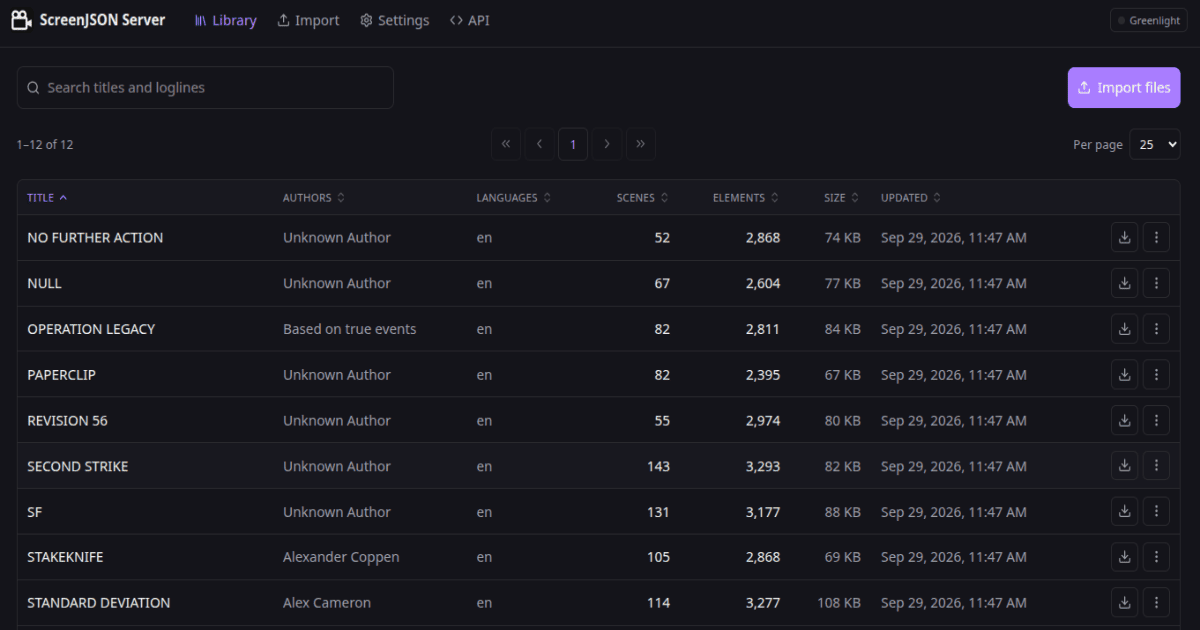
- A web app for browsing, reading and importing the library, and a desktop app for Windows, macOS and Linux.
Run it
docker run --rm -p 127.0.0.1:8080:8080 \
  -e SCREENJSON_STORAGE_DRIVER=memory \
  ghcr.io/screenjson/screenjson-server:latest
One container, one port. A Compose file ships with a profile per database, and a Kustomize base for Kubernetes.
How it fits
- screenjson-db-importer is the free, open-source way to load a back catalogue into the same database the server uses. Same records, same settings.
- Greenlight does the format conversion: Final Draft, Fade In, Fountain and PDF in; PDF and writer formats out.
- screenjson-ui renders the scripts in the server’s web app, so they look the same everywhere.
When to use it
Use screenjson-server when screenplays are something you work on as data:
a library that agents and people edit together, that you update in bulk,
search, translate and annotate, and that other systems read from your
database and your buckets. If you only need to convert files or load them
into a database once, the CLI and the
importer are enough.