What it is
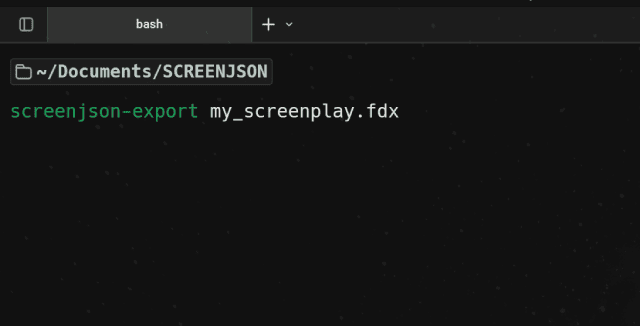
screenjson-export is the free, open-source reference implementation of the
ScreenJSON conversion pipeline. It reads writer-format screenplays —
Final Draft .fdx, Fountain .fountain/.spmd, FadeIn .fadein —
and emits a valid ScreenJSON document on stdout or to a file.
It’s the only piece of the ScreenJSON toolchain you can download, audit, and build yourself. It exists so anyone can convert a screenplay into ScreenJSON without a license, without an account, and without a network call — and so any team implementing their own converter has a correct, freely-licensed target to compare against.
Under the hood it shares its conversion engine with the full
screenjson-cli, but it ships with a
deliberately narrow command surface: three writer-format inputs, one
output (ScreenJSON), no PDF, no export, no encryption, no server mode,
no storage drivers. If you need any of that, the full CLI is a drop-in
superset.
Install
Download a release binary
Builds for macOS, Linux, and Windows are published on every GitHub release:
github.com/screenjson/screenjson-export/releasesDocker
docker pull ghcr.io/screenjson/screenjson-export:latest
docker run --rm -v "$PWD:/data" ghcr.io/screenjson/screenjson-export:latest -i /data/screenplay.fdx
From source
git clone https://github.com/screenjson/screenjson-export.git
cd screenjson-export
go build -o screenjson-export ./cmd/screenjson-export
sudo mv screenjson-export /usr/local/bin/
Requires Go 1.22+.
Use
# Basic: FDX in, ScreenJSON out (stdout)
screenjson-export -i screenplay.fdx

# Write to a file
screenjson-export -i screenplay.fdx -o screenplay.json

# Fountain or FadeIn — auto-detected from the extension
screenjson-export -i screenplay.fountain -o screenplay.json
screenjson-export -i screenplay.fadein   -o screenplay.json

# Pipe it into something else
screenjson-export -i screenplay.fdx | jq '.title.en'
In Docker:
docker run --rm -v "$PWD:/data" ghcr.io/screenjson/screenjson-export:latest \
  -i /data/screenplay.fdx -o /data/screenplay.json
Options
| Flag | Description |
|---|---|
-i, --input | Input file. Required. |
-o, --output | Output path. Defaults to stdout. |
-f, --format | Force fdx, fountain, or fadein. Auto-detected otherwise. |
--lang | BCP 47 language tag for the primary text. Default en. |
--pretty | Pretty-print the JSON output. Default true. |
-v, --version | Print version and exit. |
What gets converted
Every structural element of an FDX, Fountain, or FadeIn document maps
directly onto a typed ScreenJSON node: scene headings become slugline
objects with a parsed context/setting/time; action, dialogue,
cues, parentheticals, shots, and transitions all become typed elements
inside each scene body; the characters referenced by cues and dialogue
are extracted into the top-level characters index, each assigned a
stable UUID.
What is deliberately not in scope: PDF import, any export format, encryption, or a REST API; those are the full CLI’s job. Loading the output into a database is the free importer’s, and MCP for AI agents is screenjson-server’s.
When to use it
Use screenjson-export when you want the simplest possible way to get
ScreenJSON out of a Final Draft file — locally, reproducibly, for free — and
when you don’t need the full production surface of the licensed CLI.
Use it in CI, in a one-off script, as a reference implementation to compare
your own converter against, or as a lightweight, auditable starting point
for a custom pipeline.
License
MIT. The schema it emits is also open: see the specification.
Next
- Convert FDX to ScreenJSON — a walkthrough.
- screenjson-cli — the full, licensable CLI.
- Specification — what the output format actually is.
- screenjson-db-importer — the free next step: load what you converted into a database.